

Moors App for Android: Installing It and Signing In
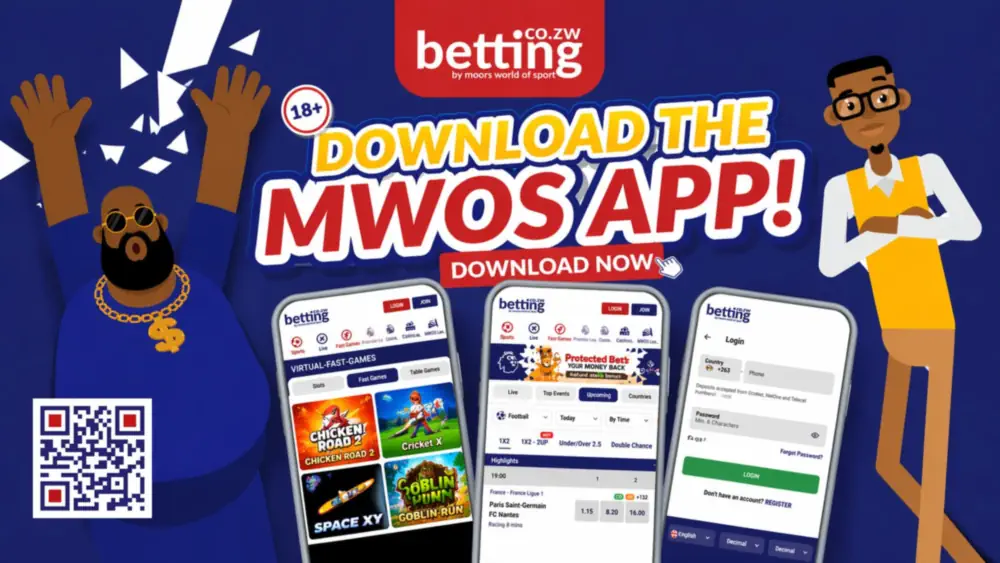
With the Moors app on your phone, your betting account sits one tap away. You install it from the official site, then sign in using the phone number and password you registered with. Below you will find how login works, what the app offers beyond a browser, and what your handset needs.
The Essentials in a Table
| Where to get it | The official Moors site, nowhere else |
| What you sign in with | Your registered phone number and password |
| Supported system | Android, with the browser as a working alternative |
| Lost password | Recovery is offered on the login screen itself |
| No account yet? | Register first, then log in |
Signing In Step by Step
Launch the app, tap the login button, then type your registered number followed by your password. Your details are checked against the account before you are let in, so take care to enter them correctly.
Have these to hand:
- The phone number on your account
- The password chosen when you registered
- An internet connection that holds steady while the request goes through
If the password escapes you, pick the recovery option on the same screen. You confirm your phone number and then receive a reset link or code. Whatever happens, never share your login details, because that habit does most of the work in keeping an account safe.
App or Browser: What Changes
| In a browser | In the app |
|---|---|
| Pages reload as you move between markets | Markets open without a full reload |
| You sign in again on each visit unless the page is bookmarked | A single tap signs you in after the first time |
| No push alerts | Alerts for settled bets and other updates |
| Opens on any device | Designed with phones in mind |
If you bet while out and about, the app spares you the repetition of entering a web address and signing in through a browser each time.
Will It Run on Your Phone?
| Item | What it takes |
|---|---|
| System | A recent Android release, since much older versions may not be compatible |
| Space | A little free storage for installing and updating |
| Network | Mobile data or Wi-Fi that stays connected for login and live updates |
| Hardware | Entry-level to mid-range handsets are enough |
Handsets that fall short can still use the browser version, which handles account access and betting fully. Our platform overview shows everything the service covers.
Good Habits for App Users
| Do this | Because |
|---|---|
| Install updates | They fix bugs and keep the app in good shape |
| Watch your signal | A weak connection can interrupt live betting or stop a login |
| Trim notifications | Leave on only what matters, such as bet settlement alerts |
| Skip saving passwords on shared phones | Log out instead, particularly on public networks |